 HBTT
Make room for better habits.
First the walk. Then the scroll.
A habit tracker that fills itself in from Apple Health, and keeps the apps you choose closed until your goal is done.
Explore HBTT
Coming soon · In development for iPhone, iPad, Mac and Apple Watch
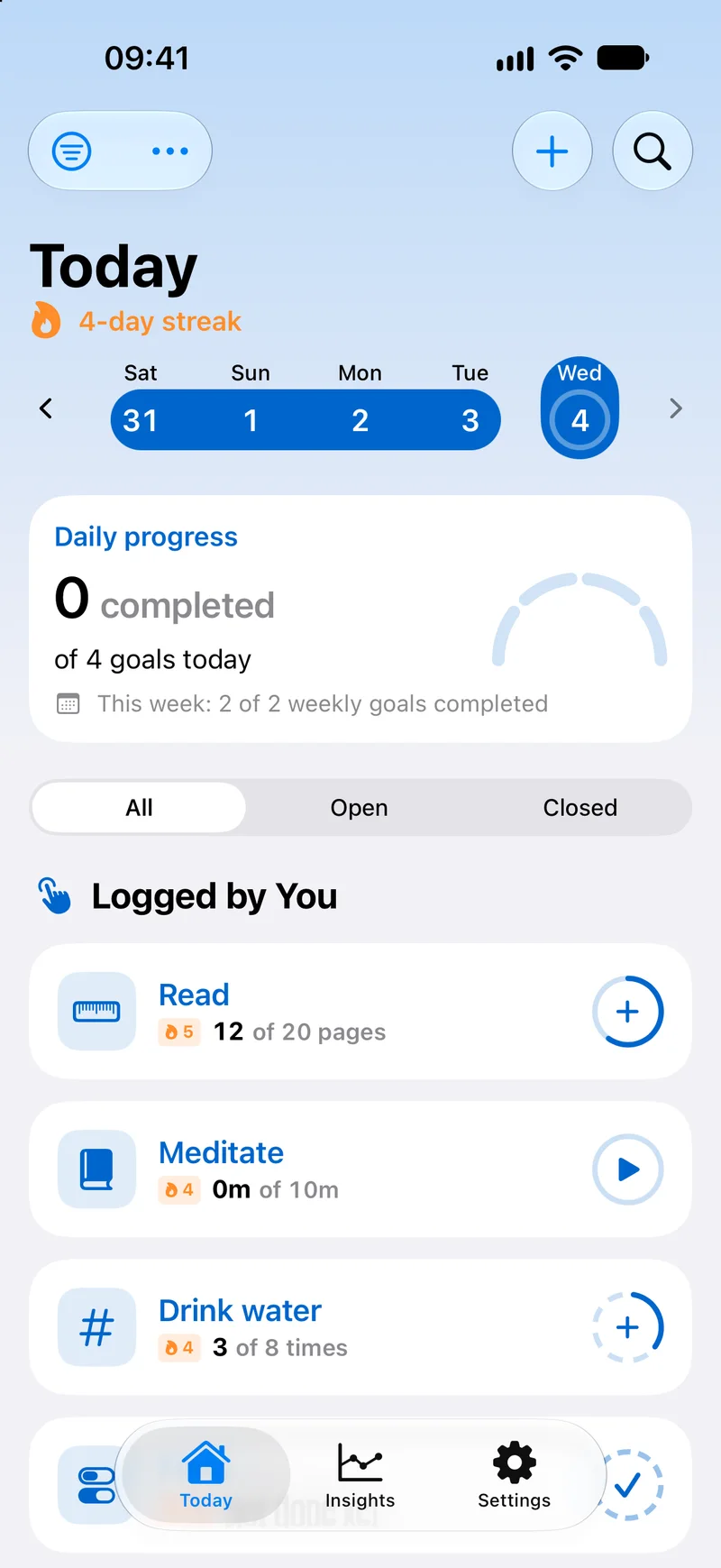
07:30Less logging. More living.
Already did it? Let it count.
The steps you took. The exercise you did. The sleep your device recorded. With your permission, Apple Health turns those measurements into progress.
Sleep7h 25m of 8h93%
Steps8,412 of 10,00084%
ReadingLogged by you25m of 40m62%
Goals Apple Health can measure
- Steps
- Sleep
- Exercise
- Move
- Stand
- Daylight
- Workouts
For what sensors can’t know, like your reading minutes, logging takes a tap. Readings arrive when your devices deliver them, and missing data never counts as a missed goal.
Find your way to track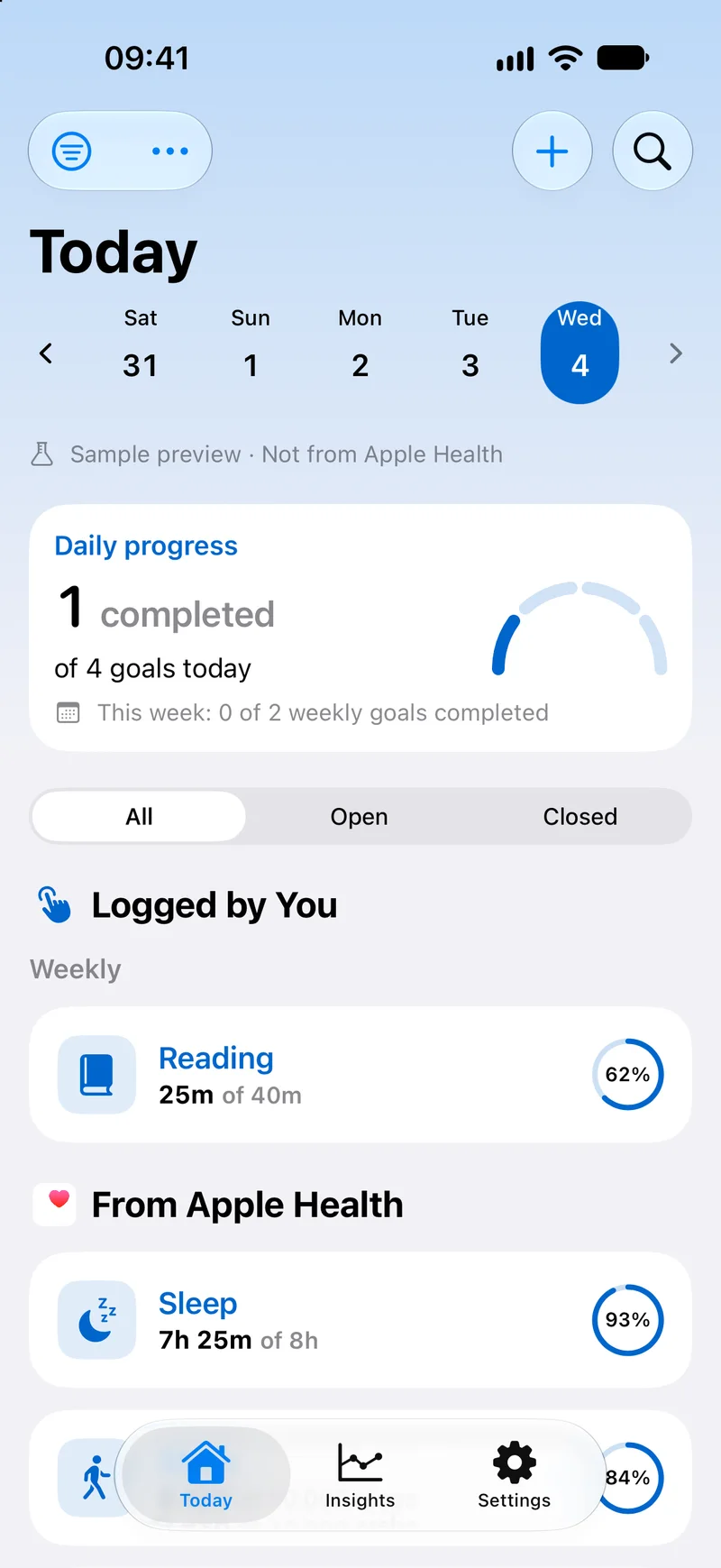
12:30Your attention deserves some space.
The good stuff. Then the scroll.
Sometimes a little pause between the impulse and the app helps. Connect a goal to the distractions you choose, and they wait until it’s done.
Explore app blockingRead18 of 20 pages
Screen timeTime’s up
Social stays blocked until Read is met. Tap the plus to log a page.
This example doesn’t block apps. In the app, Screen Time shows the shield, and Health goals may unlock only after the next background update.
Block until it’s done
Choose apps, categories or websites. They stay shielded until the goal is met, and the next period can block them again.
Or give them a budget
Set a daily limit for what you choose. When the time is up, Screen Time shields it until midnight.
You stay in control
When you really need to, allow an app for 15 minutes, an hour or the rest of the day. Blocking here is a nudge, not a lock you can’t open.
15:00Already in your routine.
Log it without opening the app.
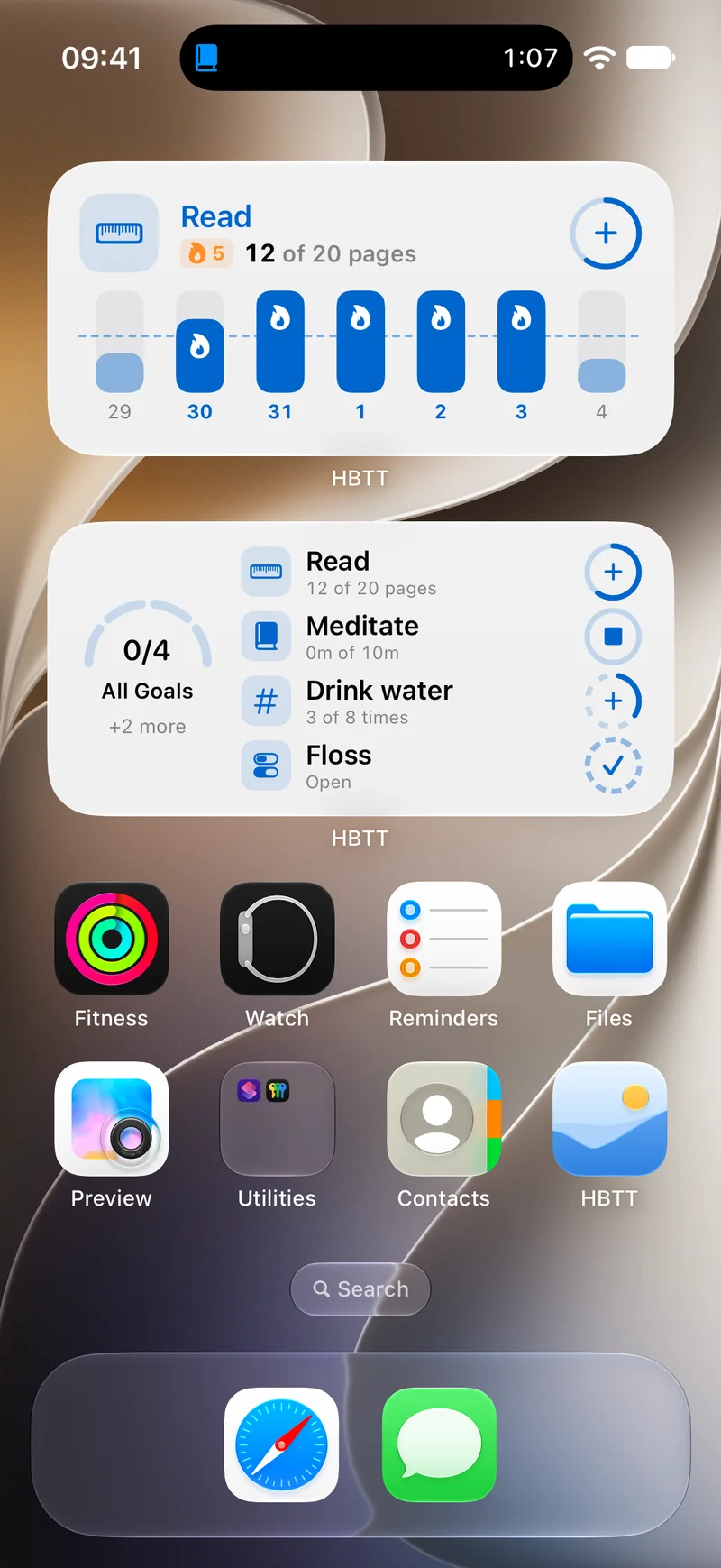
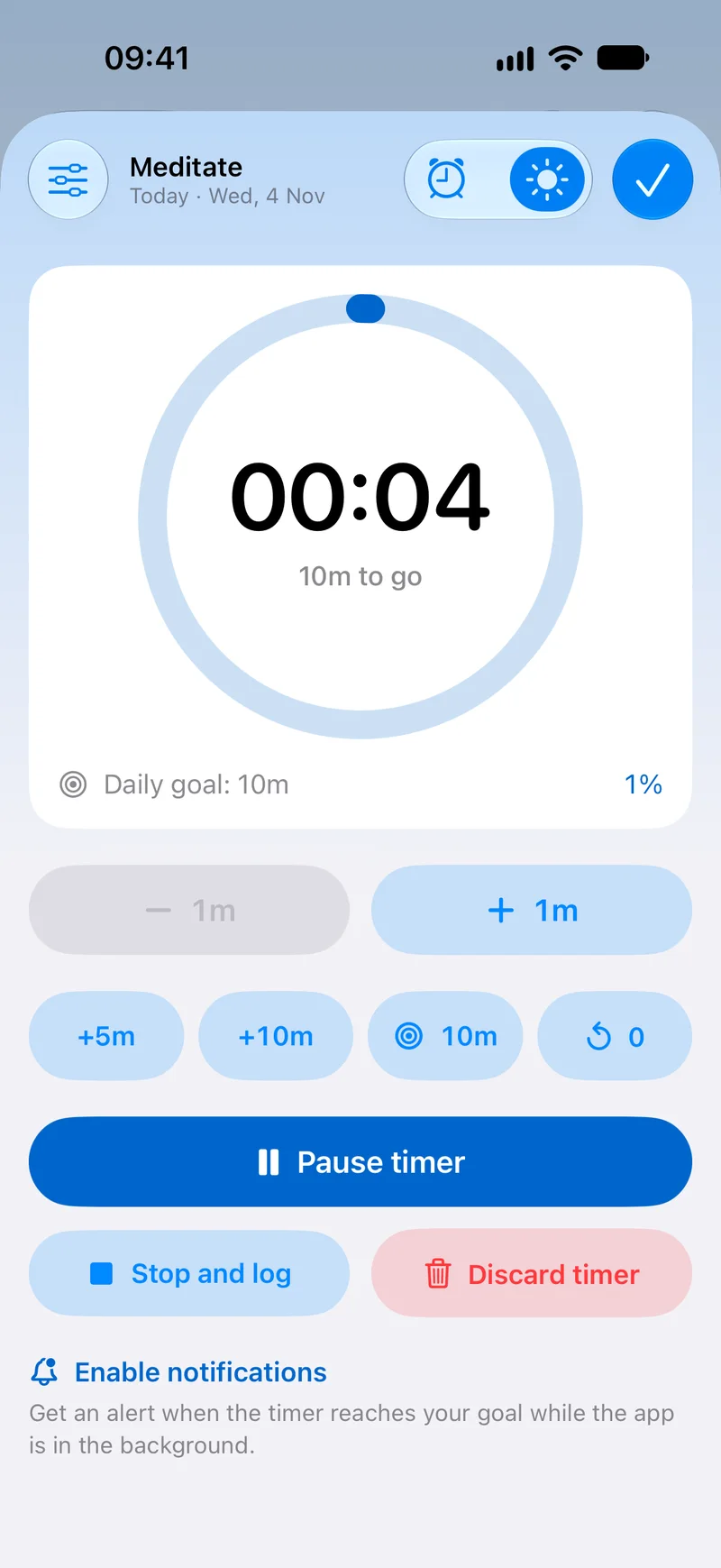
Tap a widget. Ask Siri. Check a goal on your wrist. HBTT shows up where your day already is, so keeping track doesn’t become one more chore.
Widgets
Add one or mark it done, right from the Home Screen.
Live Activities
Timers in the Dynamic Island and on the Lock Screen.
Apple Watch
Log goals, run timers and glance at your day.
Siri and Shortcuts
Log a goal, or ask how the day is going.
Controls
Control Center and the Action button.
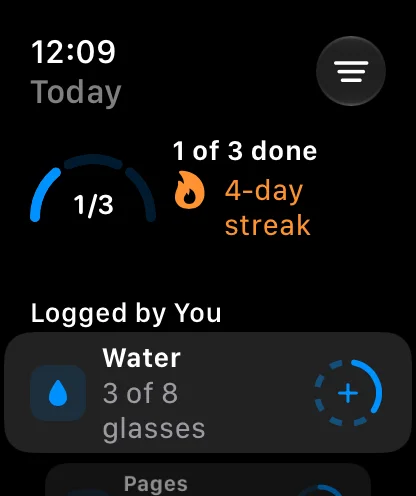
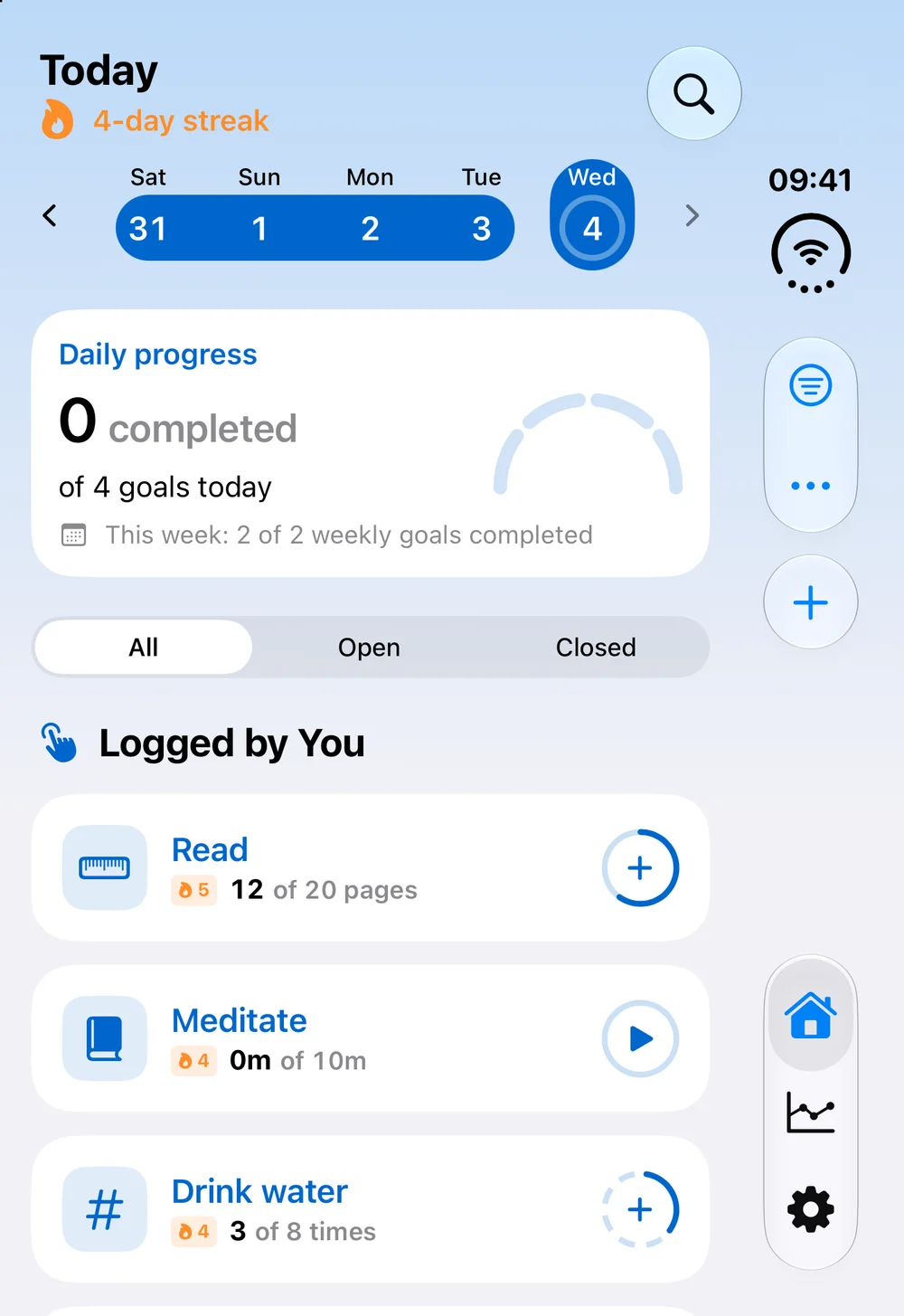
One routine, on every Apple screen.
- iPhone
- iPad
- Mac
- Apple Watch
- iPhone Duo
In development
Capabilities differ by platform, and none of these has a release date yet.
Explore devices and capabilities19:40Consistency, with room for life.
One missed day isn’t the whole story.
Look for patterns, not just a perfect streak. History and Insights help you notice what’s working, and what might need a little adjustment.
Get to know your patterns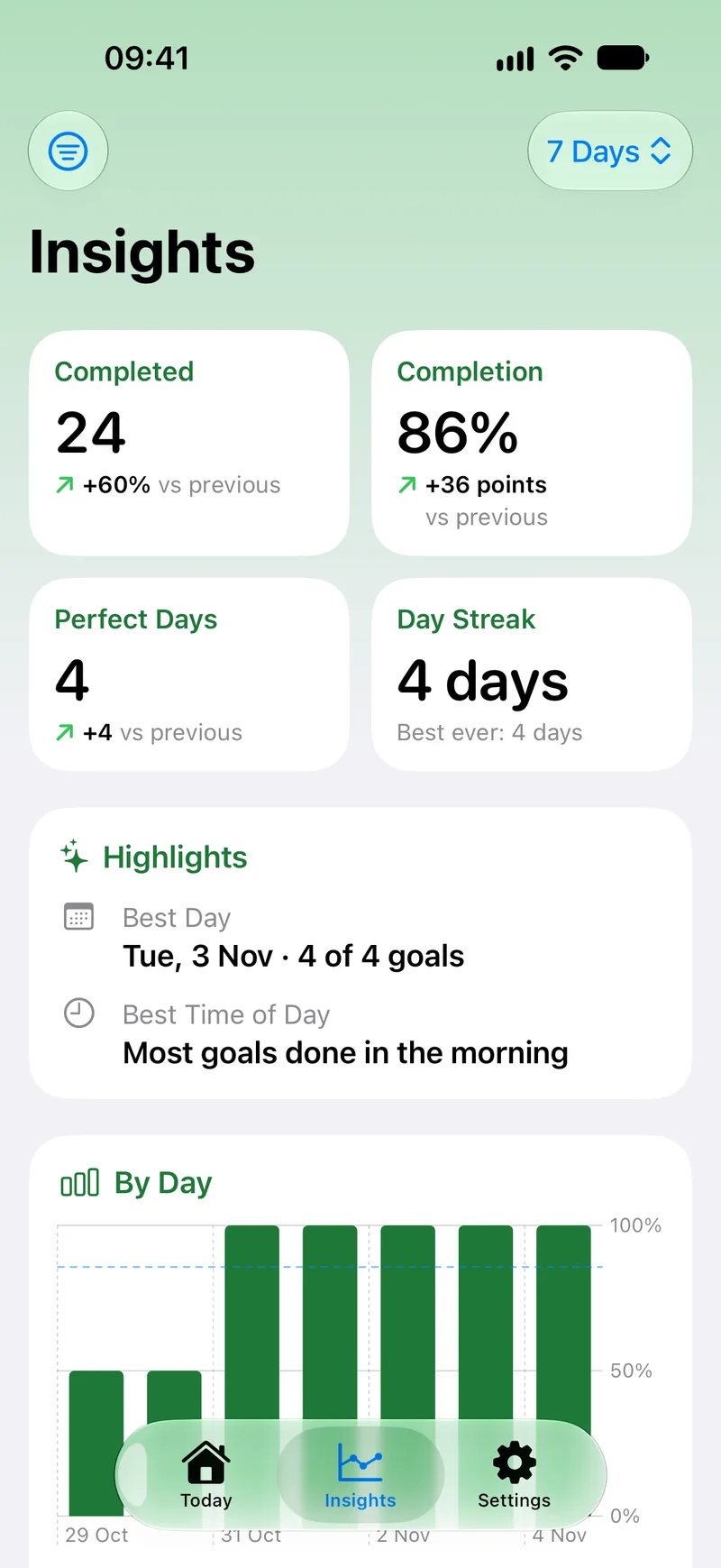
Read
77-day streak20 of 20 pages
- Not met
- Partly
- Mostly
- Met
22:00Private by design.
Your habits stay on your devices.
As built today, HBTT has no accounts and no server of its own. Your goals, Health readings and app choices stay on your device.
No account
There’s nothing to sign up for, and no tracking.
Read only
HBTT reads what your goals need from Apple Health and never writes to it.
App names stay private
Screen Time doesn’t share which apps you chose, even with HBTT.
The policy describes the app as it’s built today. Read the privacy policy
A few things you might wonder
Before your next step.
What is HBTT?
HBTT — Habit Tracker & App Lock is an app in development that brings personal goals, automatic Apple Health tracking and optional app restrictions together. The idea is simple: make progress easier to notice, and distractions easier to put aside.
Which devices is it being built for?
The launch targets are iPhone with iOS 26, iPad with iPadOS 26, Mac with macOS 26 and Apple Watch with watchOS 26. Features will differ by platform. iPhone Duo layouts are part of the design work. There is no confirmed release date yet.
Does every habit need to be logged?
No. With your permission and available data, Apple Health can supply measurements such as steps, sleep and exercise time. Habits such as reading can be recorded manually. Missing or delayed Health data is not proof of a missed goal.
How does app blocking work?
On supported devices, you choose apps, categories or websites to block until a goal is met. Daily app limits are a separate option. You stay in control, including temporary allowances. Other active restrictions may still apply after a goal is completed.
Will an Apple Health goal unlock apps instantly?
Not always. Health measurements depend on background delivery and device access. A block may remain until the next update or until you open HBTT.
Does HBTT block apps on Mac?
Mac is a launch target for seeing and logging goals. The proposed Mac experience does not include native Screen Time app blocking or direct access to an Apple Health data store.
Coming soon
Tomorrow starts with one small step.
A calmer way to build your habits and protect your attention. HBTT is on its way.
Explore HBTT